How I hosted a B2B Webinar that converted like crazy (50% CTA clicks)
How I hosted a live webinar B2B for our SaaS with 50% conversions on the CTA button and over 70% interactive attendees. And a guide on how you can do the same.

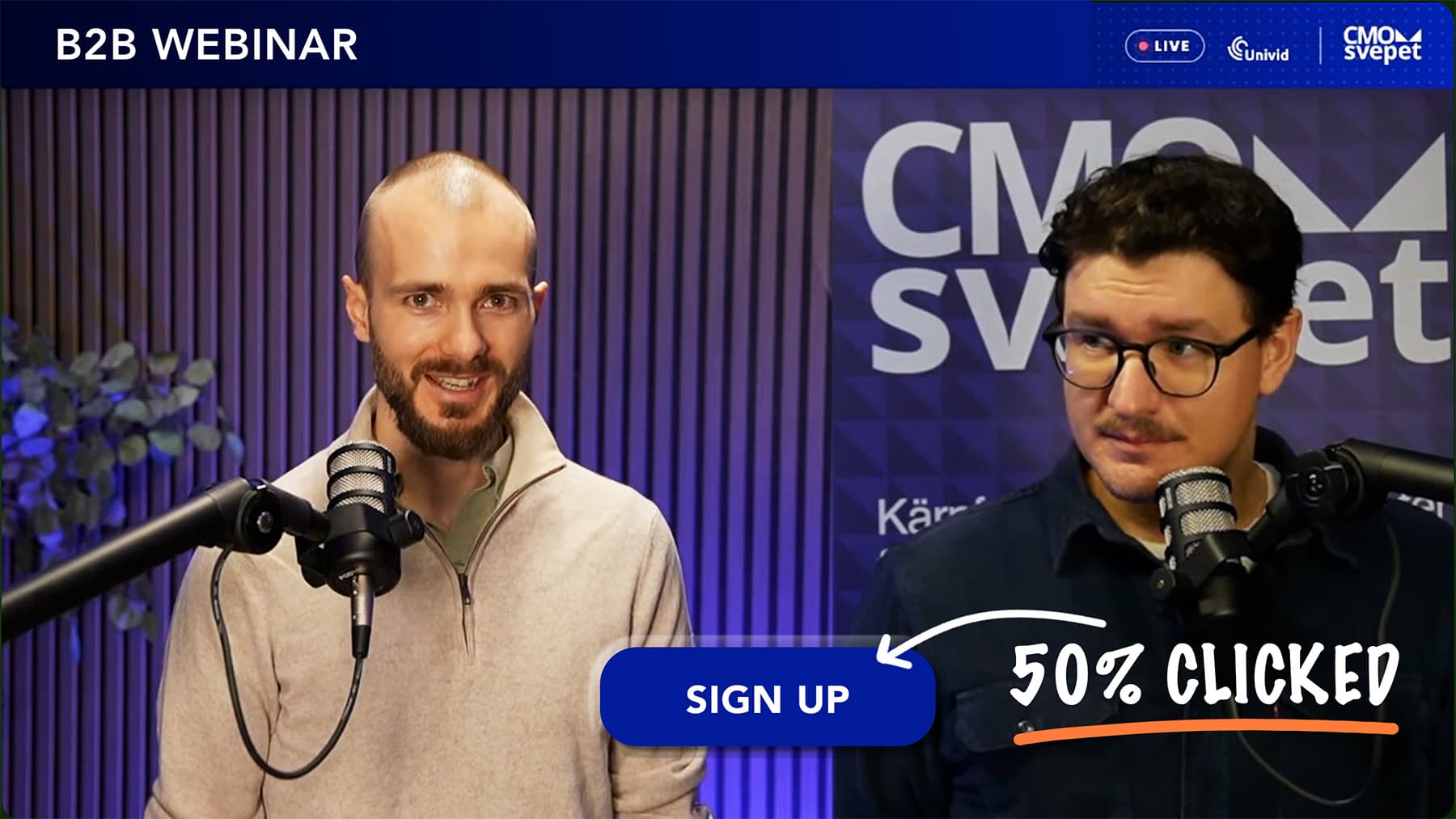
TLDR; I hosted a live webinar for a B2B audience and got 50% conversion on the CTA button, 74% interactive attendees, and several booked demos for our SaaS product. Raking up 200+ signups and an attendance rate beyond 56%.
The results: our B2B webinar in numbers
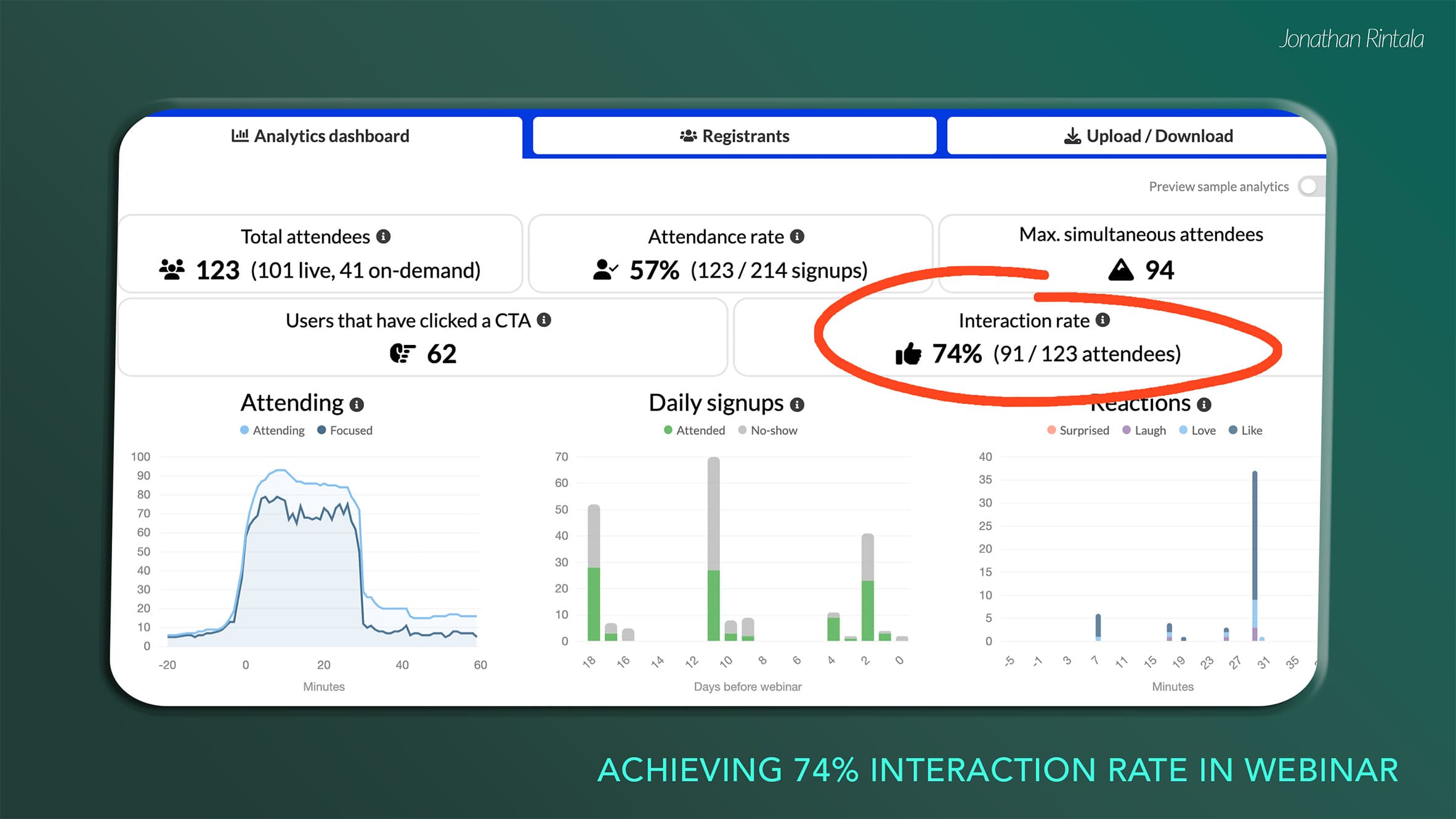
Let's take a look at the results of the webinar we hosted last Friday - a niche webinar for B2B marketing leaders in the Nordics. Here's what the data in our Univid analytics dashboard tells us👇
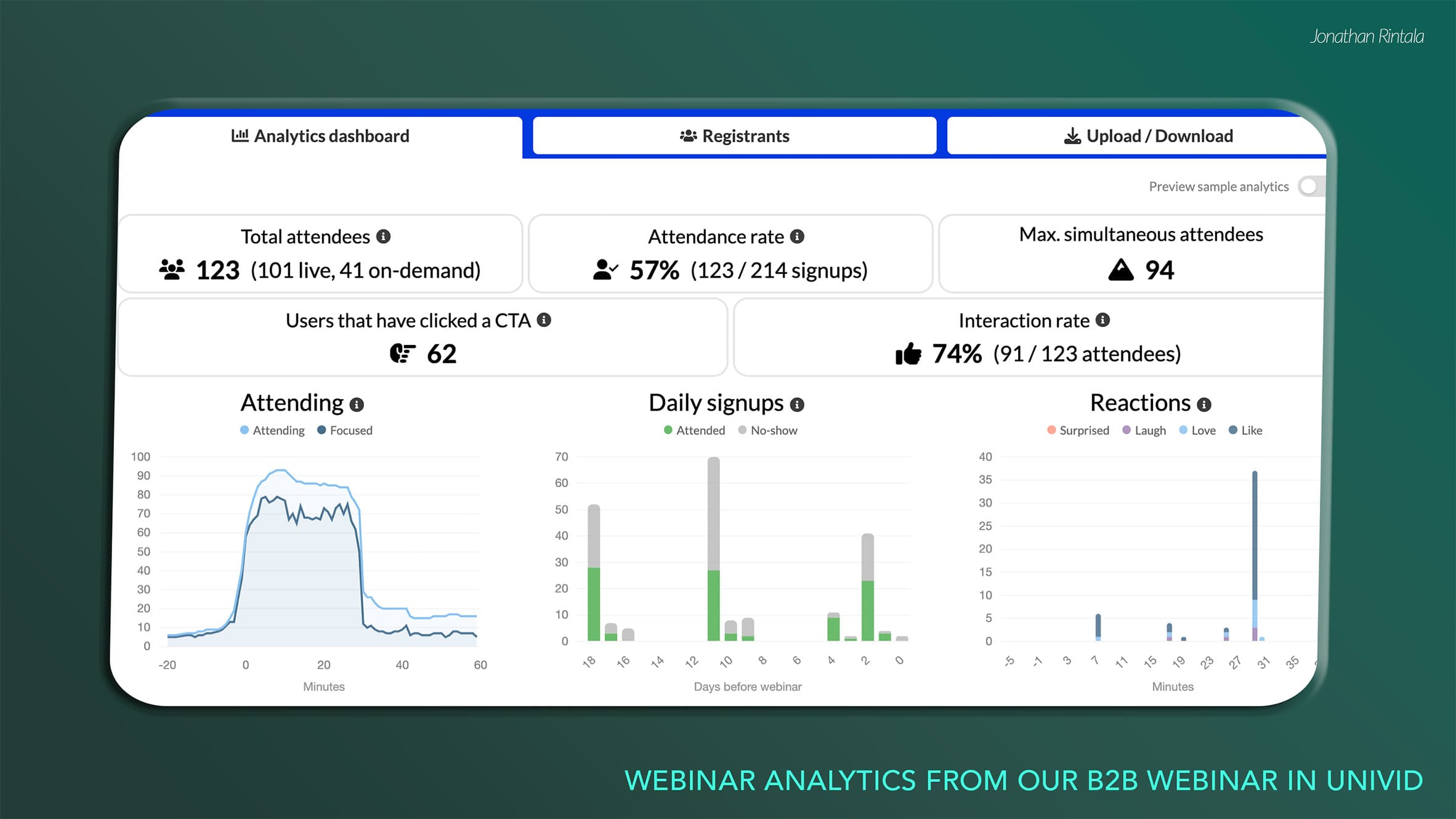
OK, pretty solid results - here are some stats to highlight before diving in to how we made it happen:
Metric | Our webinar | |
|---|---|---|
Live attendees | 101 | 102 |
Total attendance rate, live + replay | 57% | 57% |
Interaction rate | 74% | - |
CTA clicks | 62 | - |
CTA conversion rate | 50.4% | 22% |
Our 50.4% CTA click rate was more than double the 22% benchmark in the Univid Webinar Insights Report. Total attendance matched the report's 57% benchmark (as snapshotted 4 days after the webinar, but is likely to end up higher as more people watch on-demand)
Our CTA:s offered slide downloads and competition entry.
Overview of the webinar setup
Webinar setup | Details |
|---|---|
Time & day | 8:30 AM, Friday |
Length | 30 minutes |
Target group | B2B marketing leaders in the Nordics |
Language | Local language in Swedish |
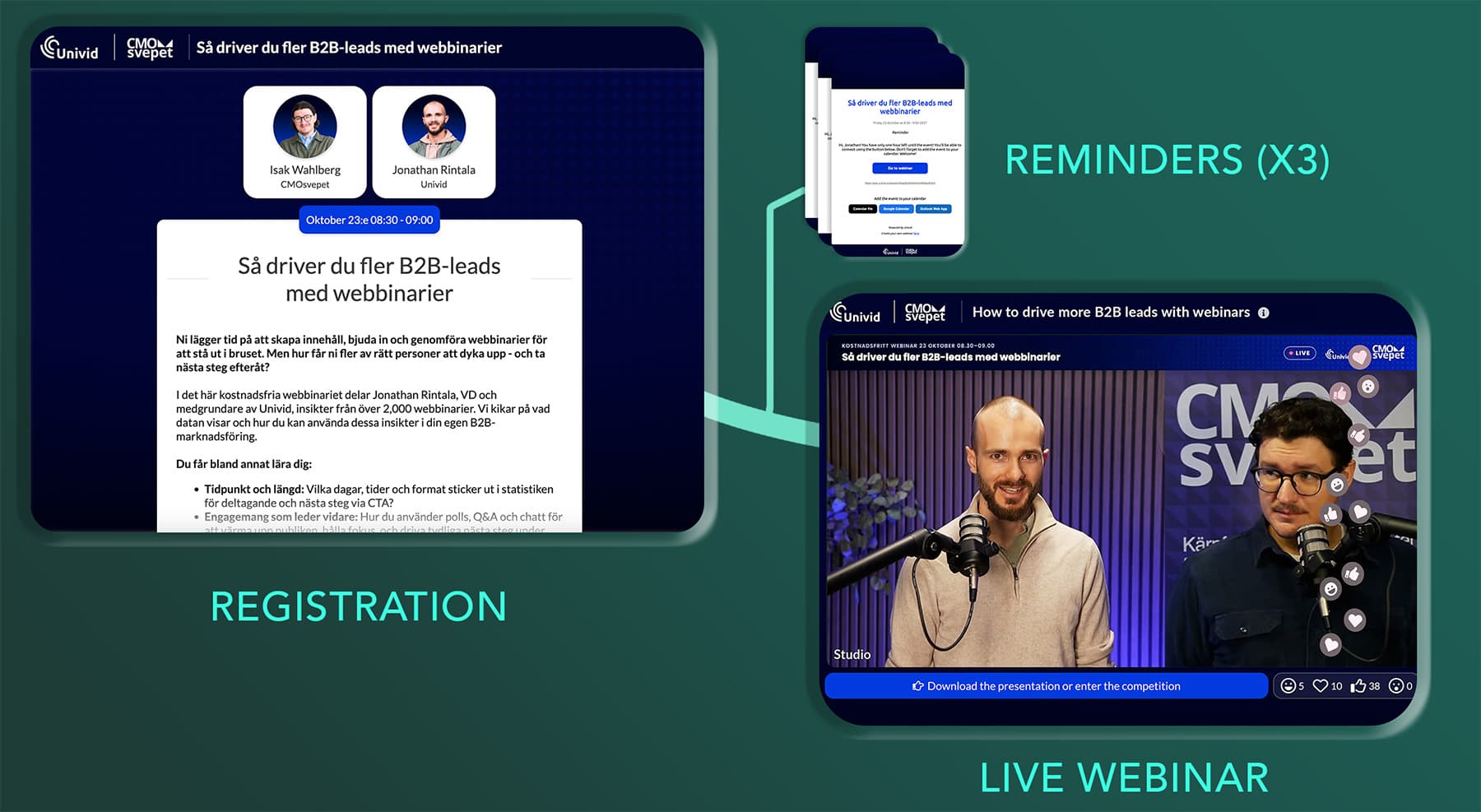
Reminders | X3 (automatic from webinar platform), 2 days before, 1 hour before, at start |
Webinar platform | |
Presentation | PDF created via Google Slides, uploaded to webinar platform |
Live production | OBS + webinar studio in Univid |
Interaction | Polls, Q&A, chat, CTA, live reactions |
CTA | (1) Enter competition (2) download slides |
Integration |
Getting the right people to sign up
Setting a clear target group
Have your target audience clear. Some roles we wanted to get in the door for this webinar: Head of Marketing, CMOs, and Marketing Managers. Ideally, we also wanted to find people who were already running webinars or had an interest in starting.
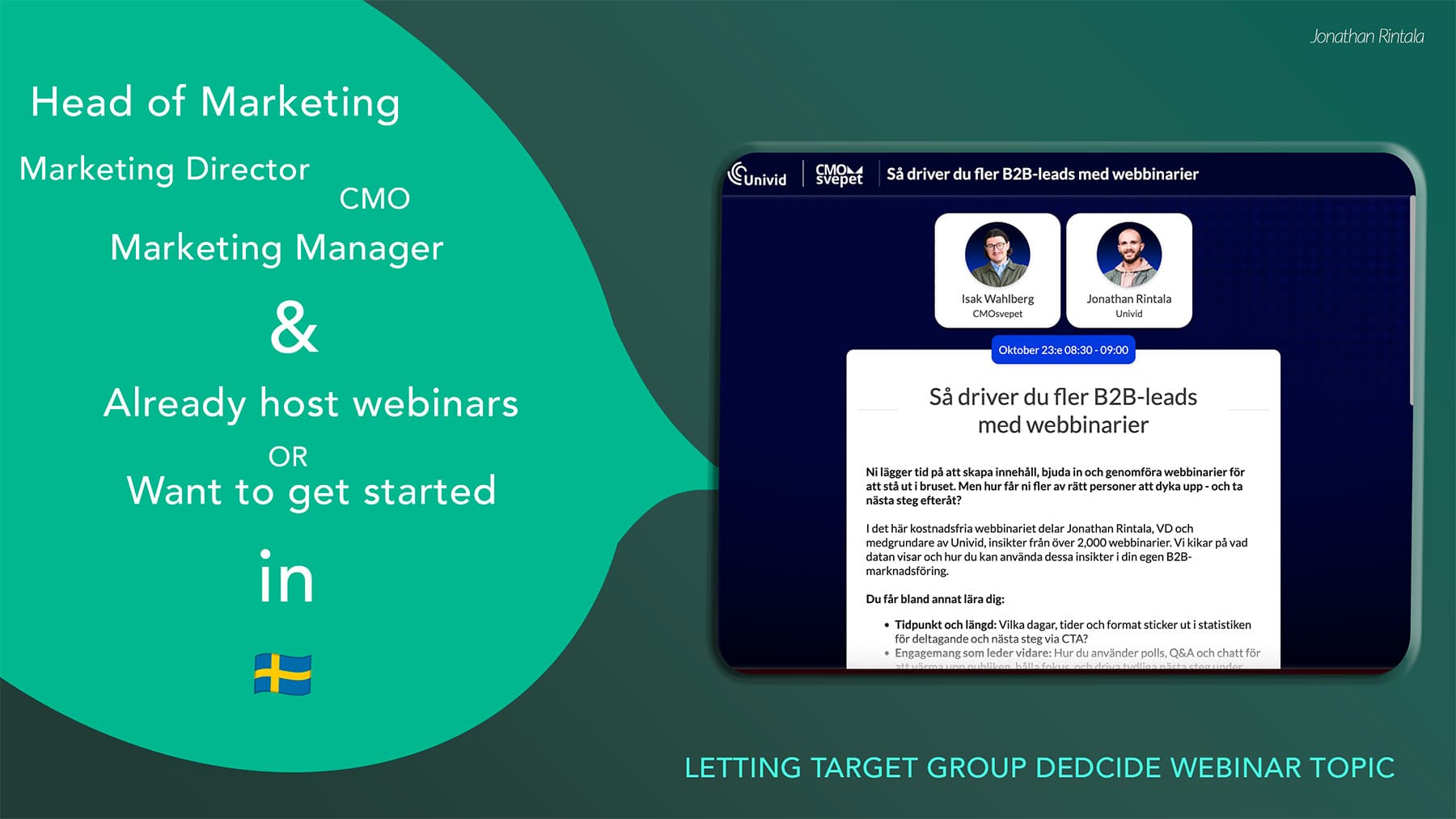
This target then formed both the topic, content, messaging, and what channels we used to push the webinar.
Daring to go local & niche down
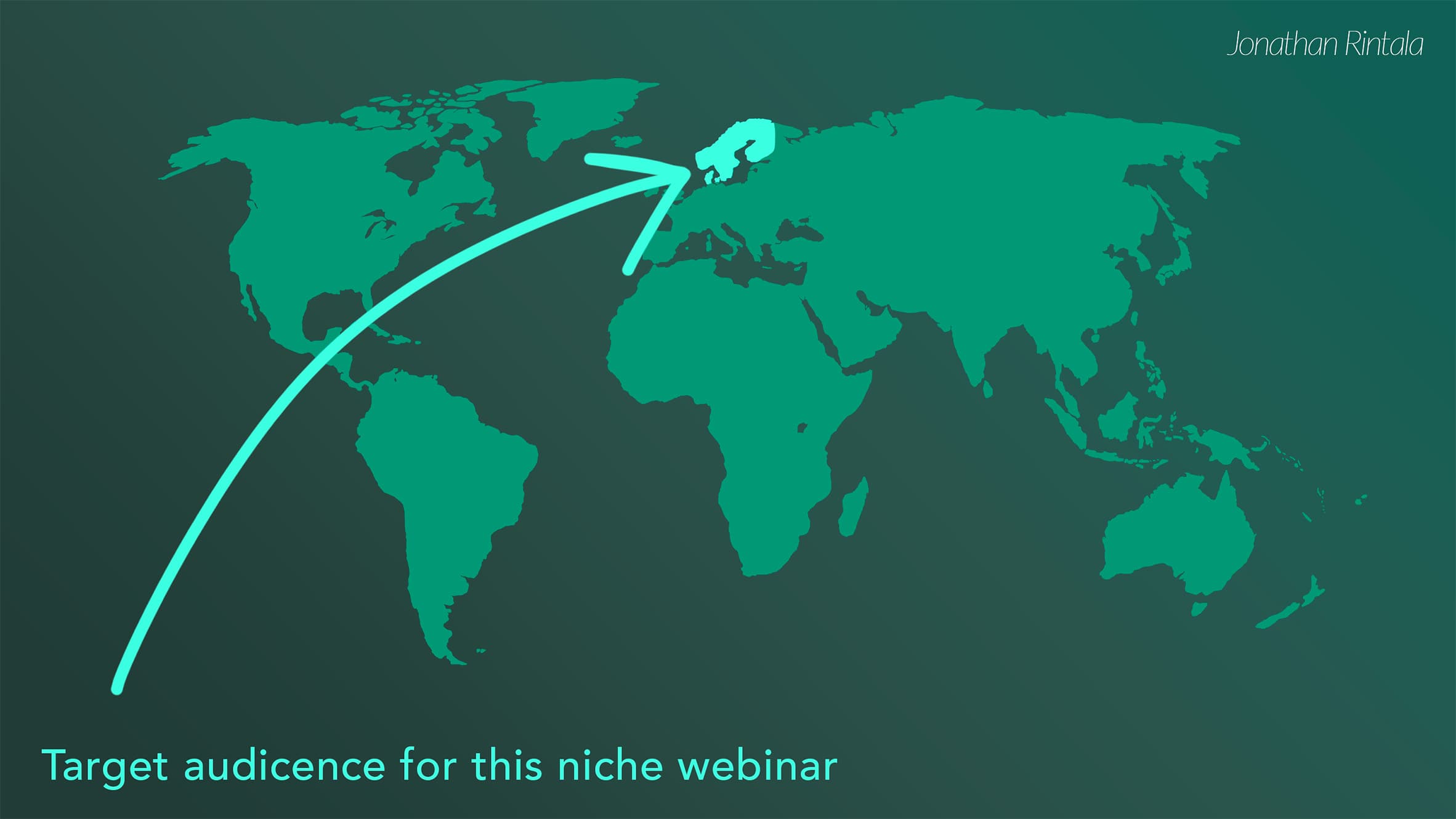
We ran the webinar in the local language. In Swedish, towards a Swedish audience of decision-makers within B2B marketing. And of course OK if other neighbours from the Nordics joined too.
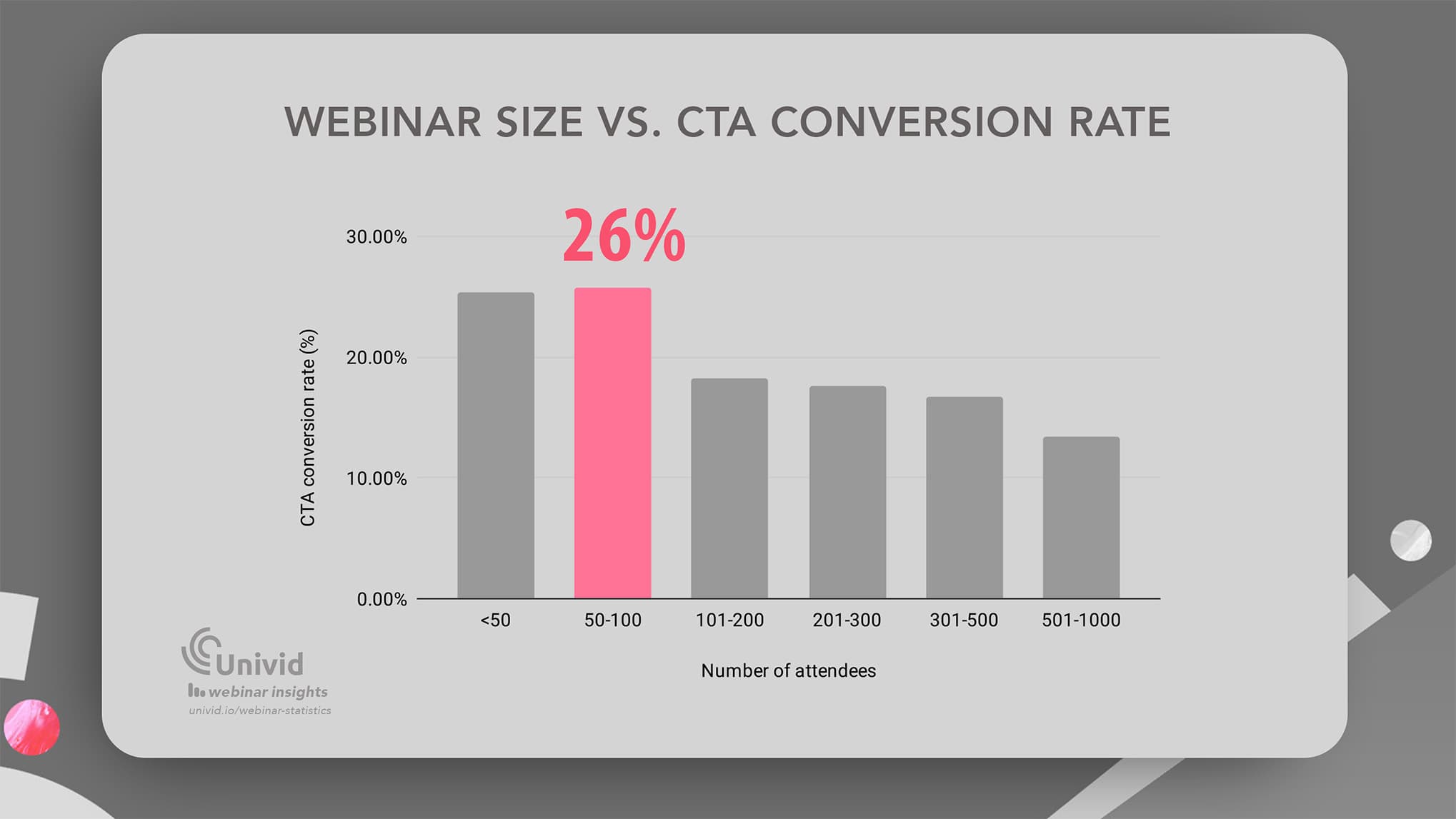
The average B2B webinar has 102 live attendees, so webinars are on average not that big - but can still be hugely effective in driving next steps, where webinars with 50-100 attendees show the highest CTA conversion rate.
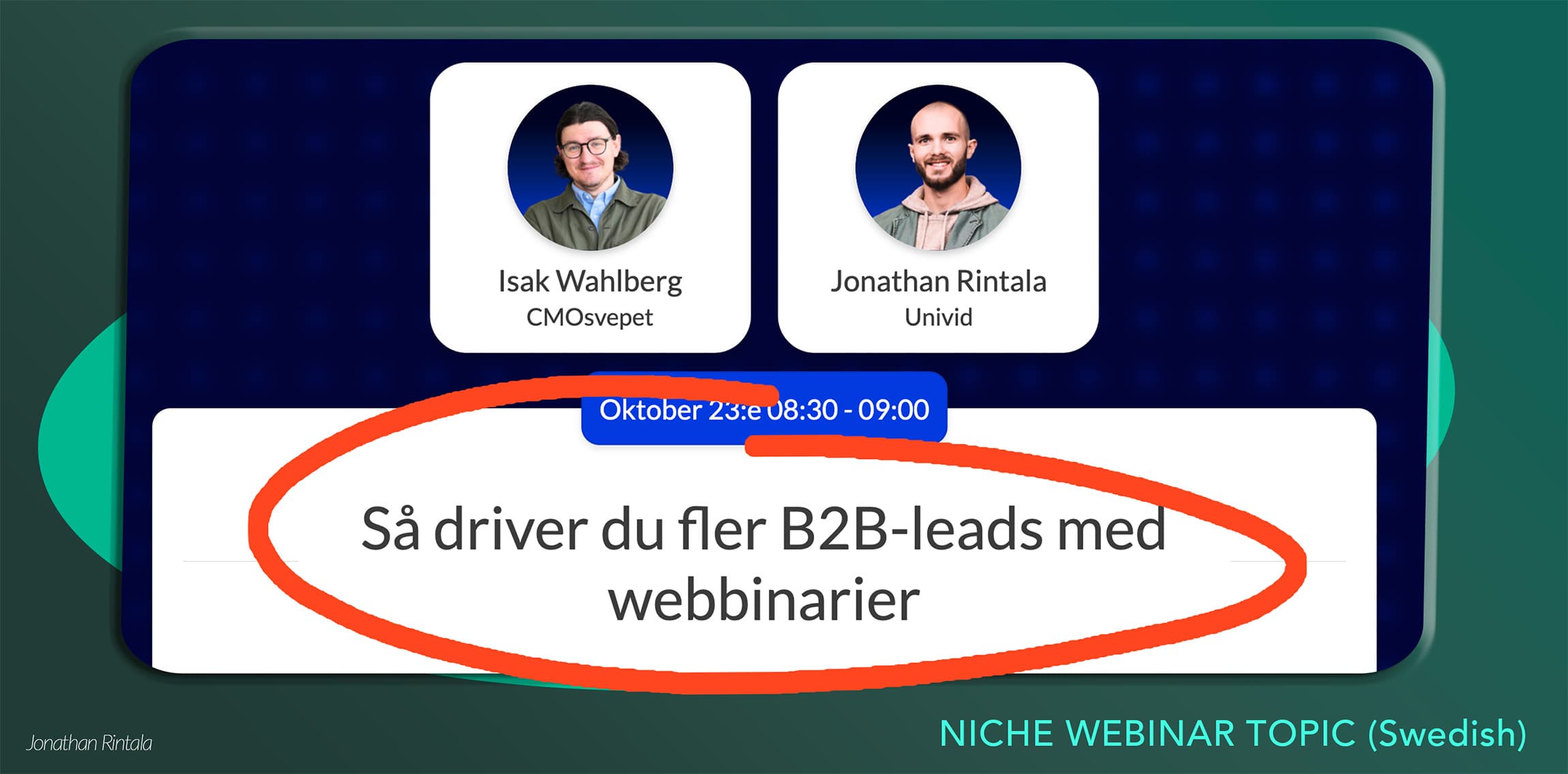
So we also niched down the topic to be razor-sharp and target people who aim to run webinars for driving leads AND doing it B2B. Setting the topic to: "How to drive more B2B leads with webinars", in Swedish "Så driver du fler B2B-leads med webbinarier".
Using a partner and existing strong channels
To get 214 relevant people to sign up, we used the following 4 marketing channels:
Newsletter - we have our own newsletter of +1000 customers and webinar hosts that we pushed the webinar to.
Partner - we teamed up with a partner that has built a community and network of marketing leaders in Sweden - they helped push it to their highly relevant audience.
Organic social media - both us and our partner shared the webinar in SoMe posts.
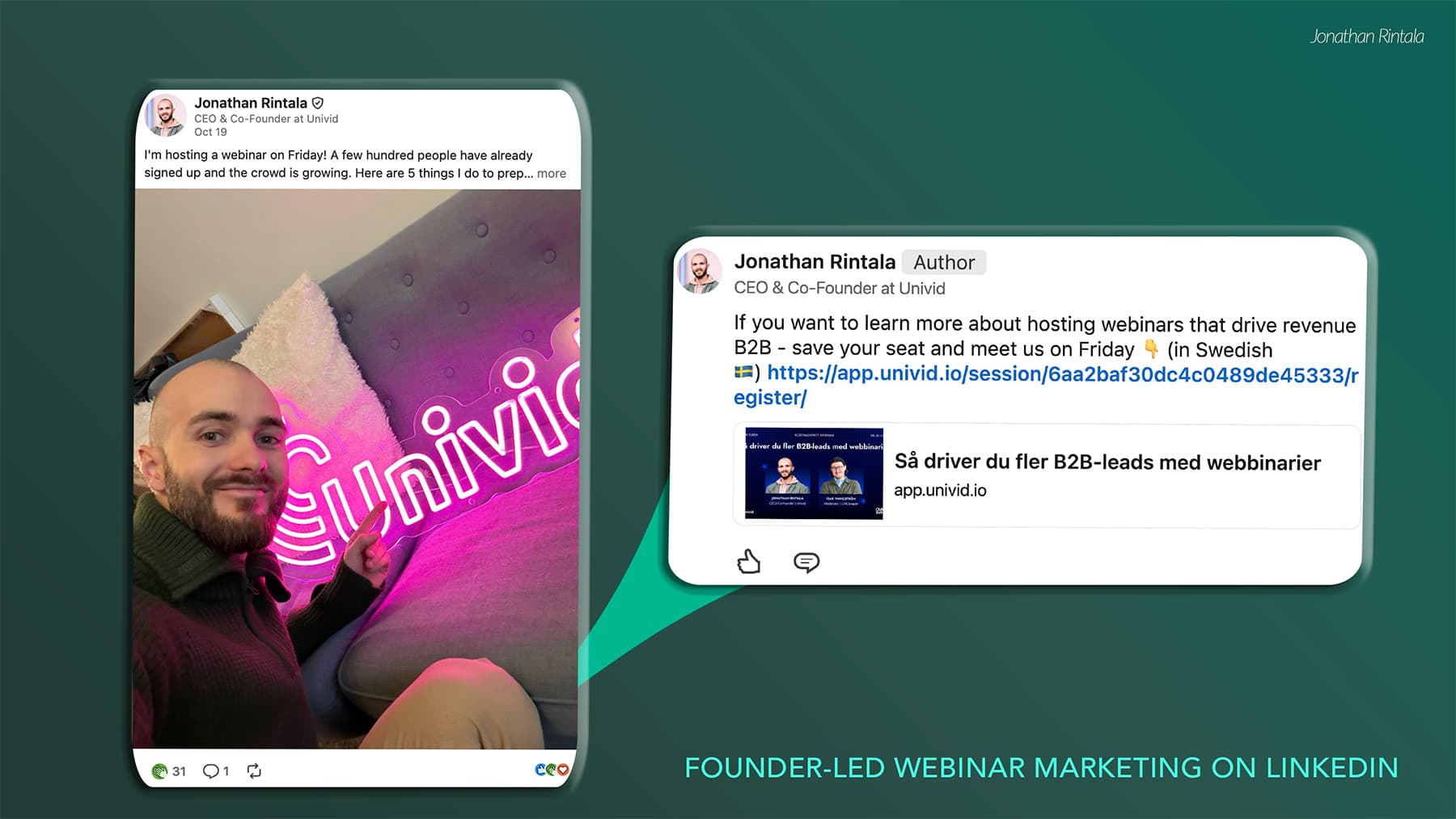
Founder-led content on LinkedIn - as the founder of Univid, I wrote a personal LinkedIn post about hosting the webinar with 5 tips on what I did to prepare for the webinar. This post got us a bunch of signups too - and reached a different crowd.
Getting people to join after signing up
Short and sweet in the morning
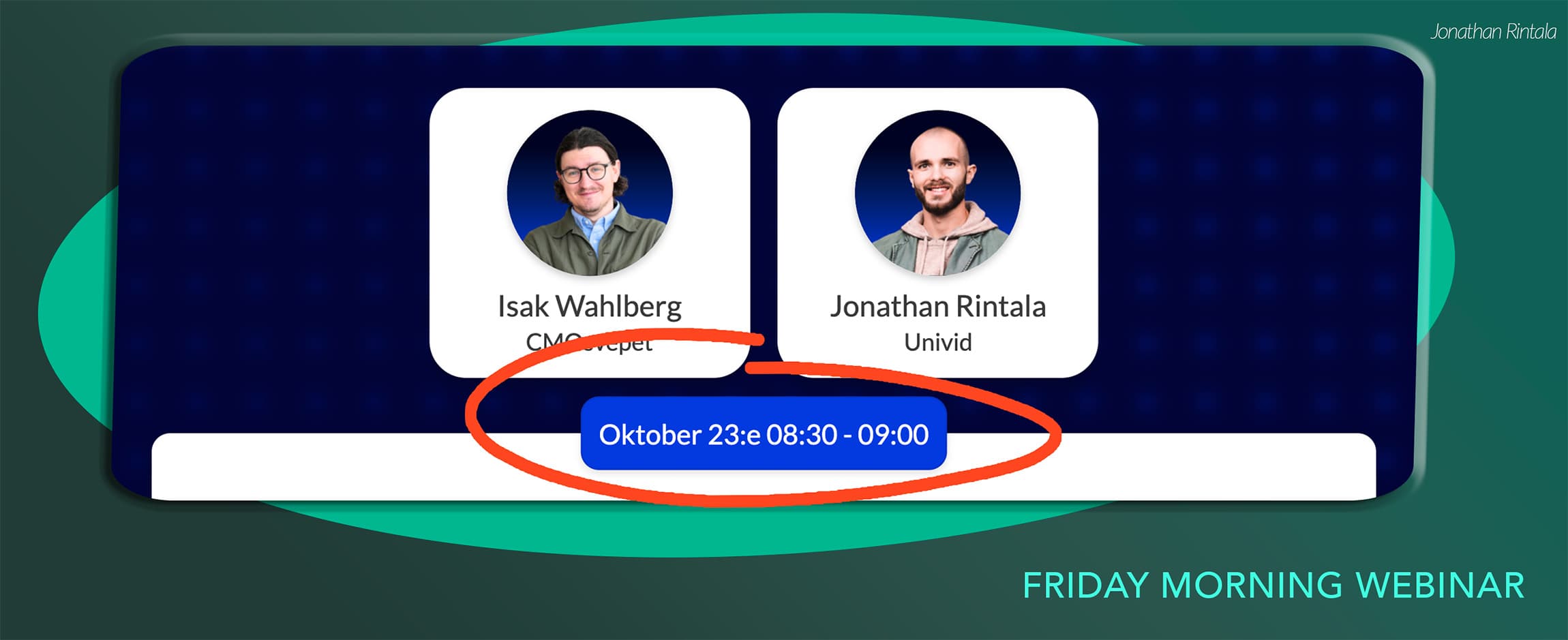
We kept the webinar to 30 minutes, and ran it in the morning CEST at 8:30 - 9:00 AM. We followed the data and chose the underrated Friday to host - where only 13% choose to host, but the average live attendance rate is still high (46%).
With a niche target group in the Nordics for this webinar, we did not have to bother with different time zones.
With international webinars across multiple time zones, scheduling often requires compromising, which can affect attendance.
Smooth registration and automatic reminders (x3)
We set up a registration page in Univid and used all 3 automatic reminder emails - and got 57% total attendance rate.
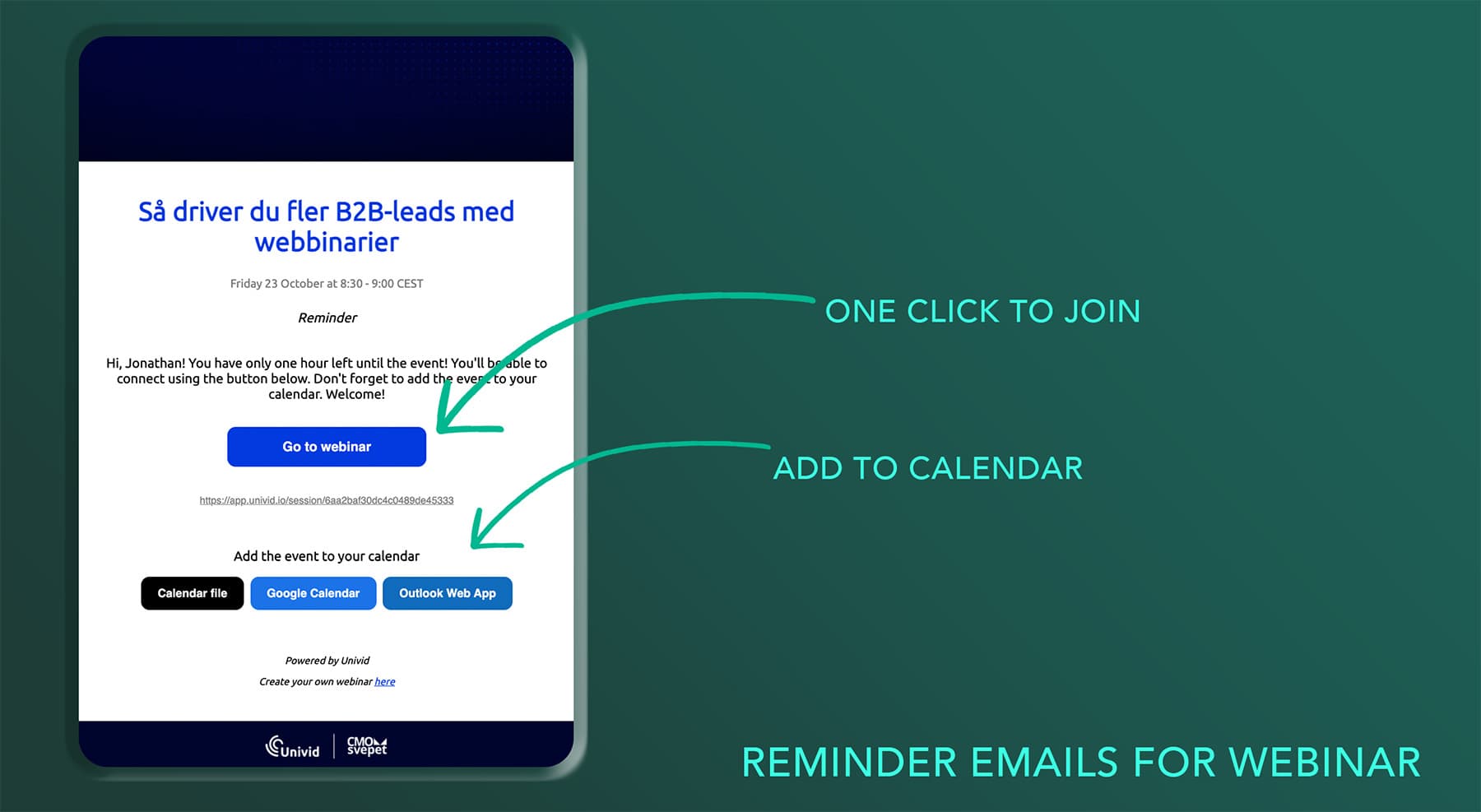
We also had the confirmation email active, and all emails included add-to-calendar buttons - so people could easily add the webinar to their calendar asap after signing up. These emails were also sent in local Swedish language (but showing the English version below).
Getting attendees to convert in the webinar (50%)
Here are some of the things we did to get 50% of attendees to convert on the CTA button
1. Getting 74% of attendees to interact
As the data tells us, more interaction leads to more CTA conversions. Both there is a clear correlation between number of reactions and CTA conversion rate. Also, having all 4 engagement features active shows the highest CTA conversion (33%).
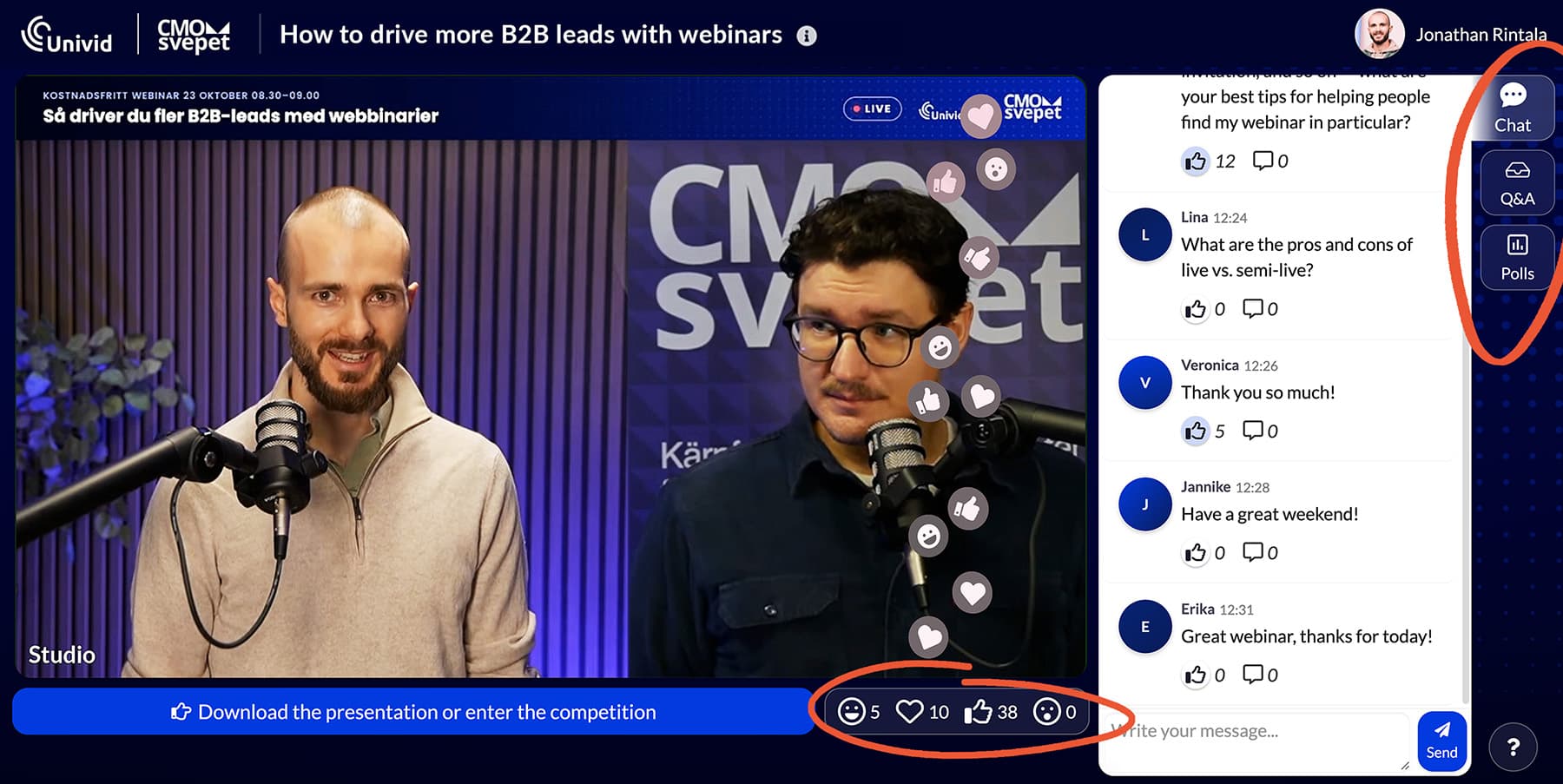
A lot of credit goes to our moderator. Isak does stand-up on the side, and what someone in the audience described as a relaxed "podcast voice". He introduced the interaction at the start, and got people going with the typical "Where are people joining from? Write in the chat.".
The result? 74% interaction rate.
We launched 2 polls in the webinar for activation and feedback. Also we made sure to encourage and bring up questions from Q&A and chat throughout (not just at the end) - to avoid the 15 minute focus dip you typically see.
Attendees could also engage anonymously through Q&A and live reactions, so the barrier to join in was as low as possible. While keeping the chat open and transparent. Finally, we told people that we would answer every single question in writing in both Q&A and chat - so people knew we would get back with answers - which we also did.
2. Launching the first poll early - letting the audience decide what to focus on
Timing is also important. We launched a quick poll at the start to understand what the level of knowledge was in the audience - and for us to easily be able to segment the attendees afterwards. This early activation also gets people warmed up.
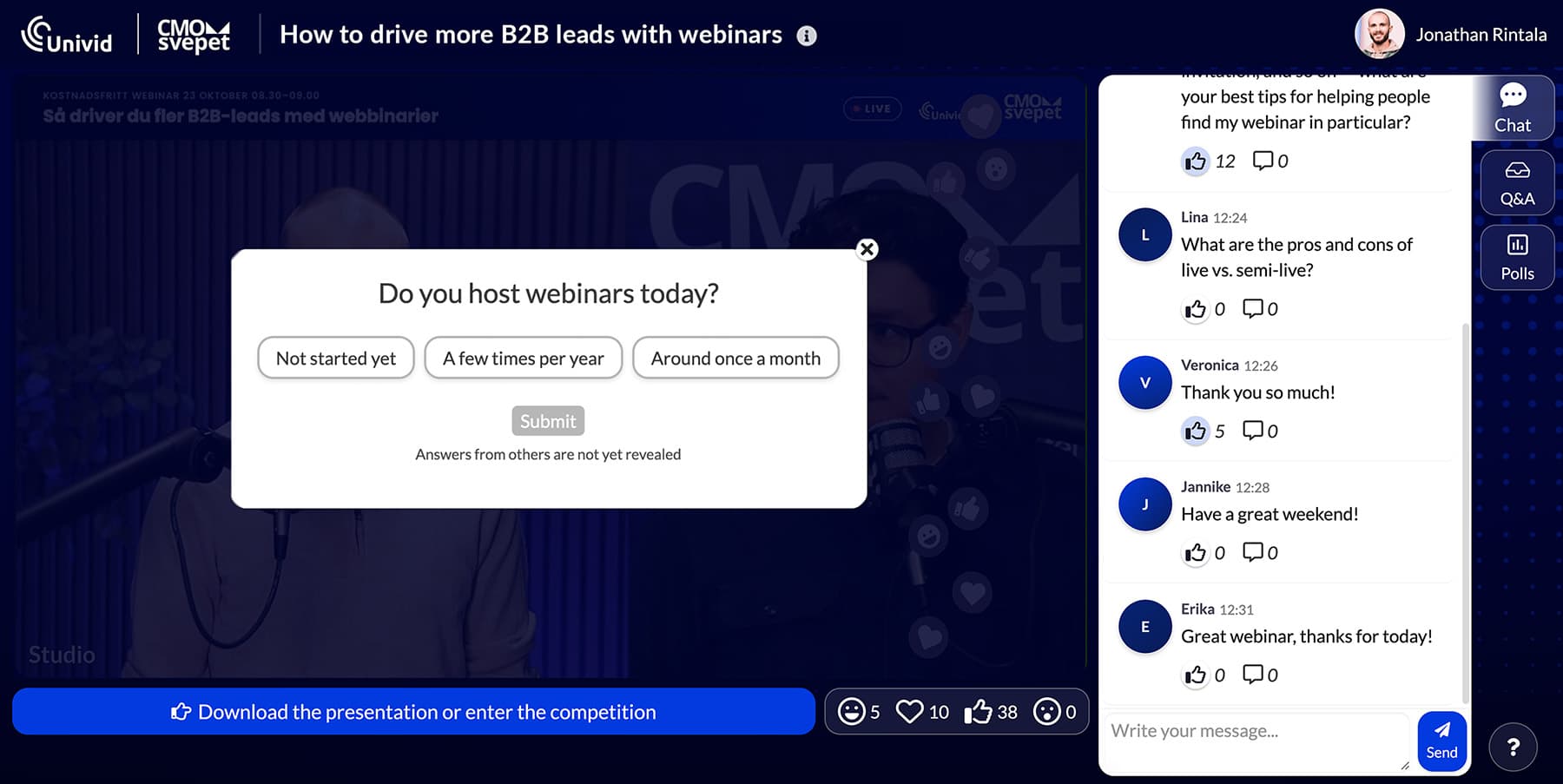
We revealed the answers for attendees - so they could see the stats as soon as they answered themselves and feel involved.
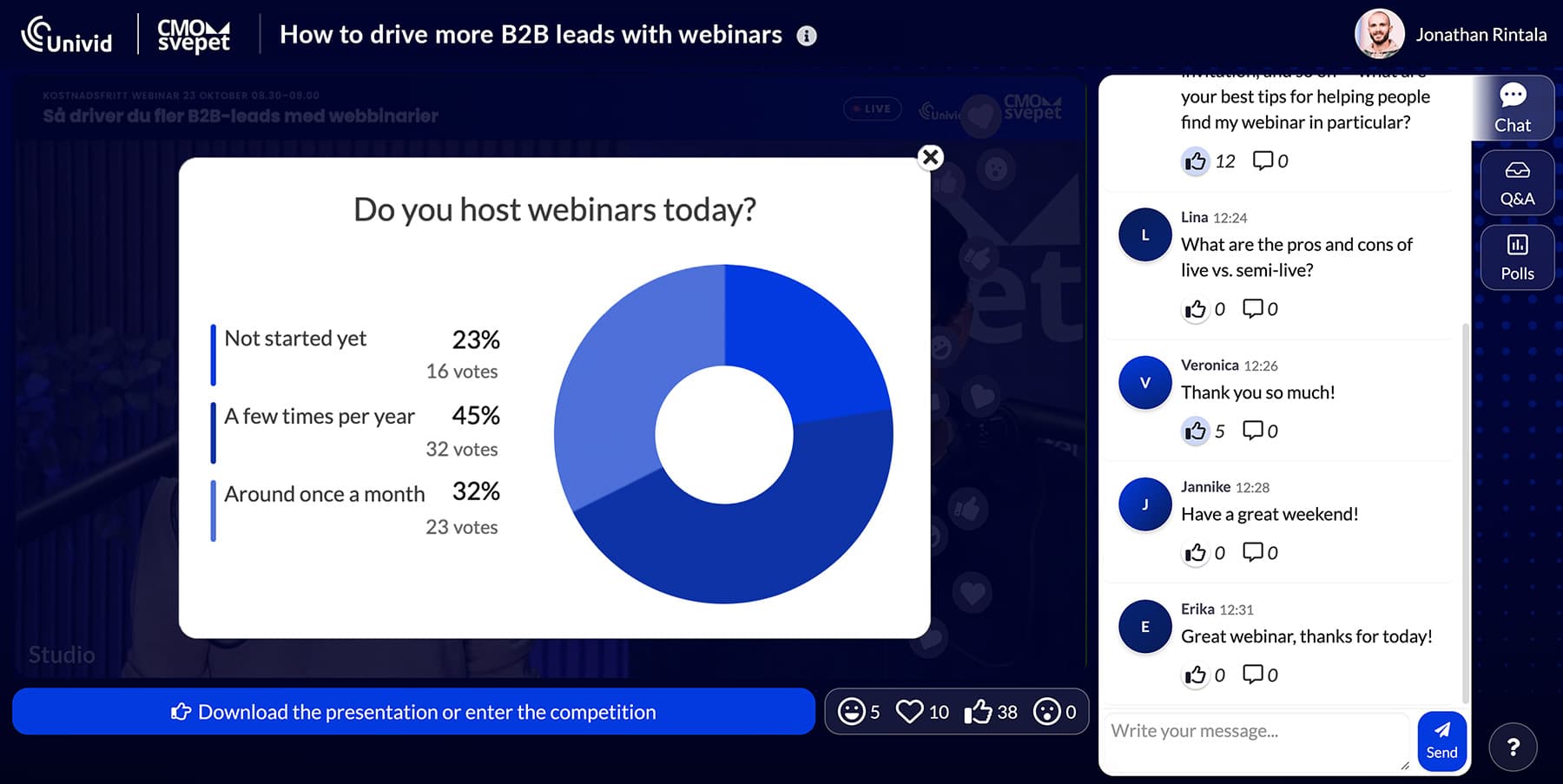
This poll showed that 80% of respondents already hosted webinars at least a few times per year. So we could quickly dive into the more in-depth stuff.
3. Encouraging audience to share learnings in open chat
This is the power of an open chat and a focused audience of experts - people can share their experiences and learn from each other. The audience brought knowledge that wasn't on our slides - which in turns adds value and makes people want to do business with you - and convert.
For example, they shared their best tips for getting people to sign up using personalization and AI, what times worked best for them when hosting webinars, and more.
4. Keeping it local in Swedish and going live in style 🇸🇪
We followed our own data, which shows higher conversion rates for local-language webinars - and ran the session in Swedish.
Writing copy for marketing in Swedish.
Talking Swedish in the webinar.
Selecting Swedish both in the UI in the webinar platform, as well as reminder emails
Offering a native experience all the way.
5. Offering two live CTAs (50% clicked)
We offered two CTA buttons - one to enter our competition, and one to download the slides.
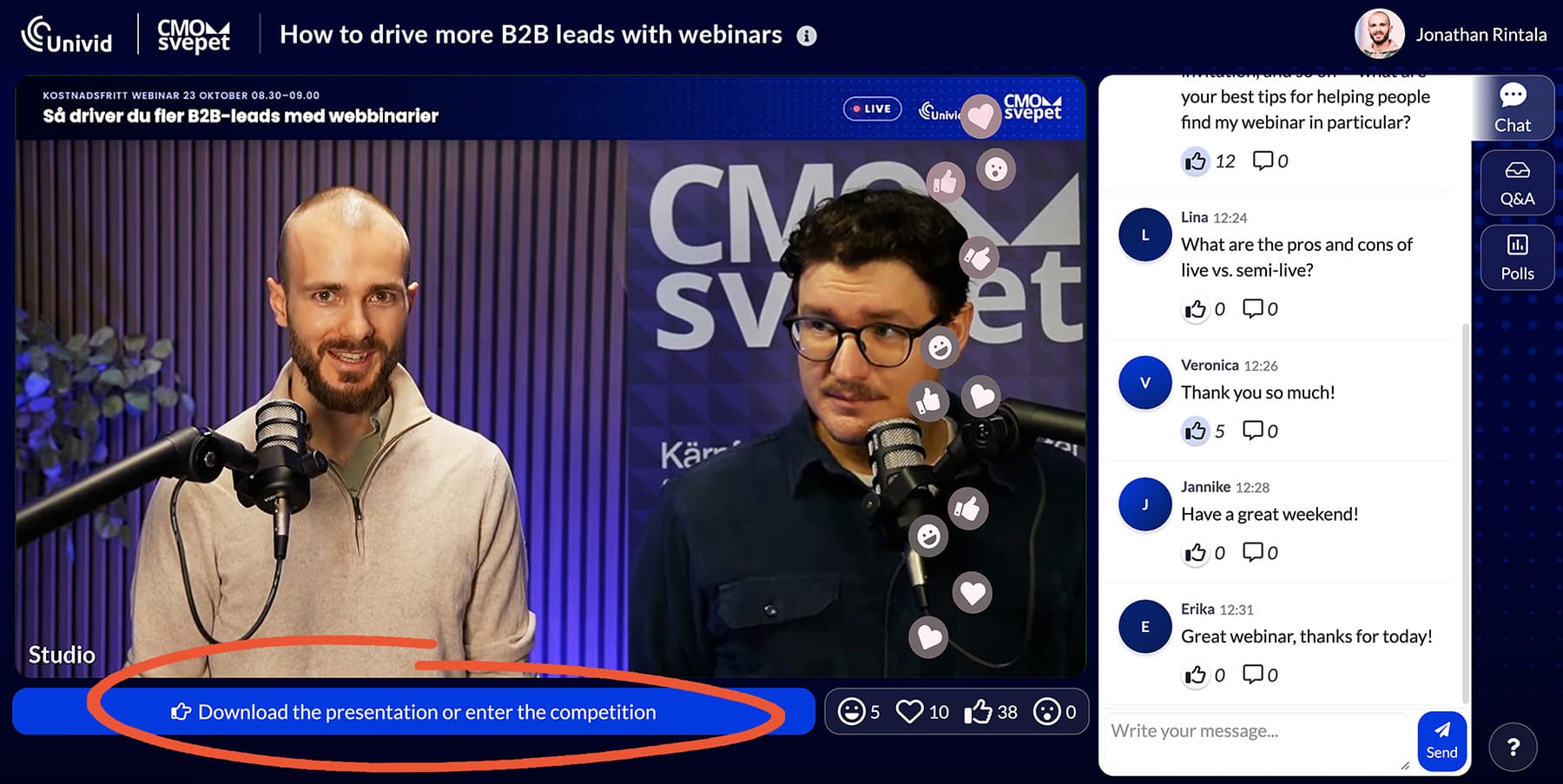
Clicking the main CTA opened a list where attendees could choose their next step.
Note: We used a clear CTA button in the webinar platform, and not just a link that got lost in the chat. Also using a dedicated CTA button made conversions trackable per individual.
50% of attendees clicked, more than double the 22% benchmark. Two relevant prospects also booked a Univid demo that same day, and many more tried the platform themselves.
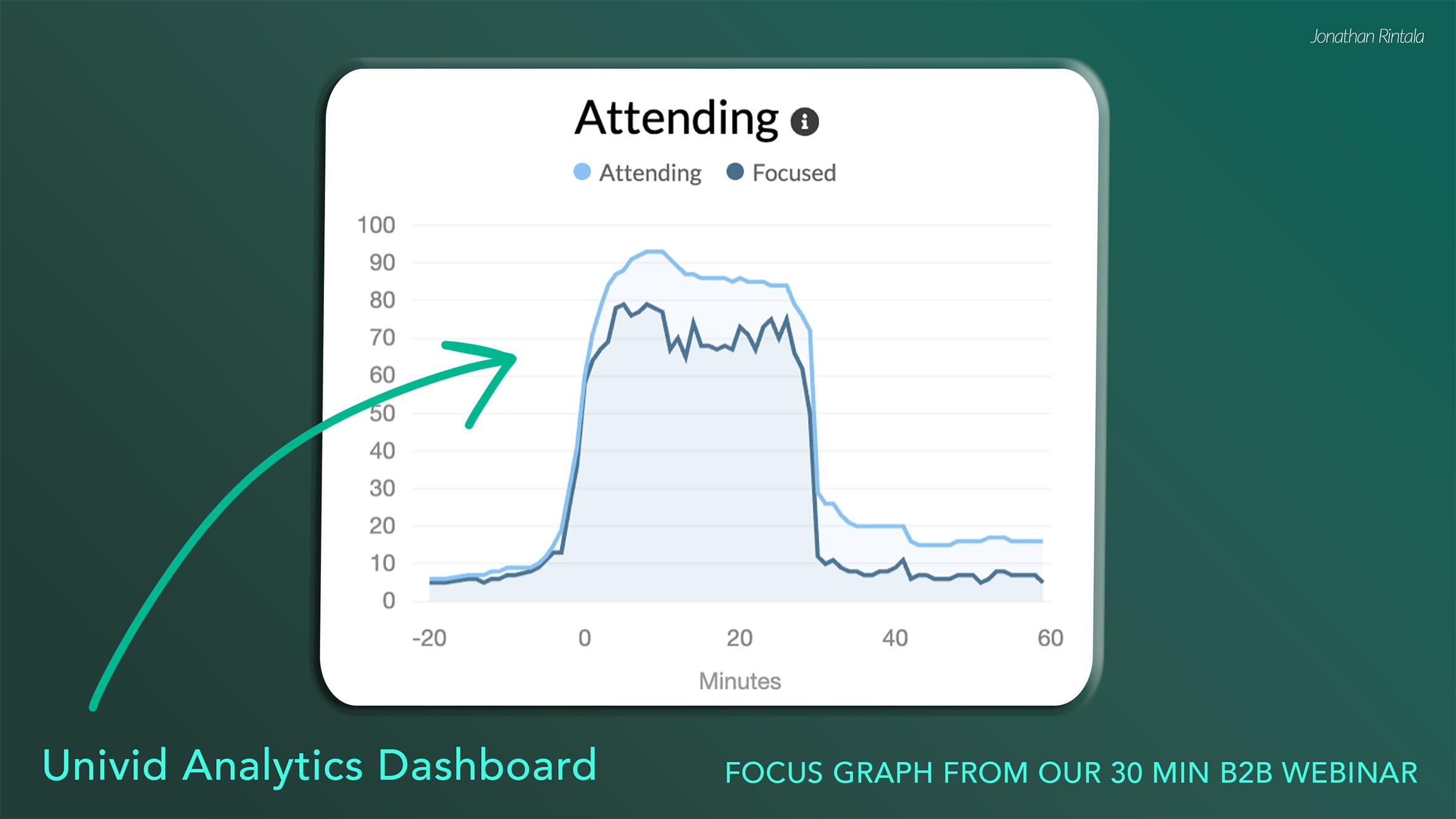
Also, looking at the focus graph, almost everyone stayed until the very end. A good sign that keeping the webinar to a focused 30 minutes was the right call.
Following up accurately
This involves segmenting the audience, connecting the webinar platform to HubSpot for automatic sync of engagement data, and personally reaching out to people that had questions - before and after. For example, "I'm away at kickoff but would like to join, can I get the recording?".
More on this coming soon..
Summary
Hosting a webinar is definitely a team effort. Shoutout to both Univid and CMOsvepet for the prep and studio production, and Isak for moderating like a pro 🙌